

Best Swim Lap Counters: Watches, Finger Counters and Smart Goggles
/You settle into a long freestyle set, find your rhythm, and suddenly lose track. Was that 300 yards or 350?
As a swim coach, I want your attention on holding your pace and maintaining your technique. A swimming lap counter can reduce the distraction of counting, but the right choice depends on what you need from your workout.
Some swimmers need a running count; others want automatic tracking, splits, or an in-goggle display. More features do not automatically mean better training.
Don't count the laps, make the laps count! Stop losing track during your workouts!
Which Swim Lap Counter Fits Your Needs?
This guide compares functions and practical trade-offs, without claiming identical product tests.
| Option | Most useful for | Main limitation |
|---|---|---|
| SportCount LapCounter | Simple manual counting | You must remember each button press |
| SportCount timing models | Counting plus workout timing | Features and memory vary by model |
| Apple Watch | Automatic tracking and workout records | Requires setup, charging, and checking results |
| Compatible Garmin watch | Structured sessions and supported drill logging | Swimming features vary by model |
| FINIS Smart Goggles | Viewing information while swimming | Fit, visibility, and the correct kit matter |
One important detail: swimmers sometimes use “lap” to mean one length and sometimes to mean down and back. If you are looking for a swimming length counter, check how the device defines and records each length. In this guide, a length means one trip across the pool. Four lengths in a 25-yard pool equal 100 yards.

Essential swimmer gear including goggles, swim cap, and training fins for open water swimming
1. Choose a Device for the Information You Need
SportCount LapCounter for Simple Counting
The SportCount LapCounter is a finger-worn device operated with a button press. The basic model counts laps; it is different from SportCount's counting-and-timing models.
I would consider it for continuous swims when you need a count rather than an app or workout history.
Its strength is simplicity, but a missed click means a missed count. The basic model cannot tell you whether you maintained your pace.
Practice during an easy swim. Click at a consistent moment without disrupting your wall contact or streamline. If it interferes with turns, consider automatic tracking.
SportCount Timing Models for Counting and Splits
The SportCount LapCounter & Timer combines counting and timing. The SportCount 200 LapCounter & Timer is designed to record multiple lap times. Check the exact model's functions before buying rather than assuming every finger counter stores individual splits.
If your timer includes rest, elapsed time divided by distance will not give the same pace as timing each repeat separately.
Apple Watch for Automatic Swim Tracking
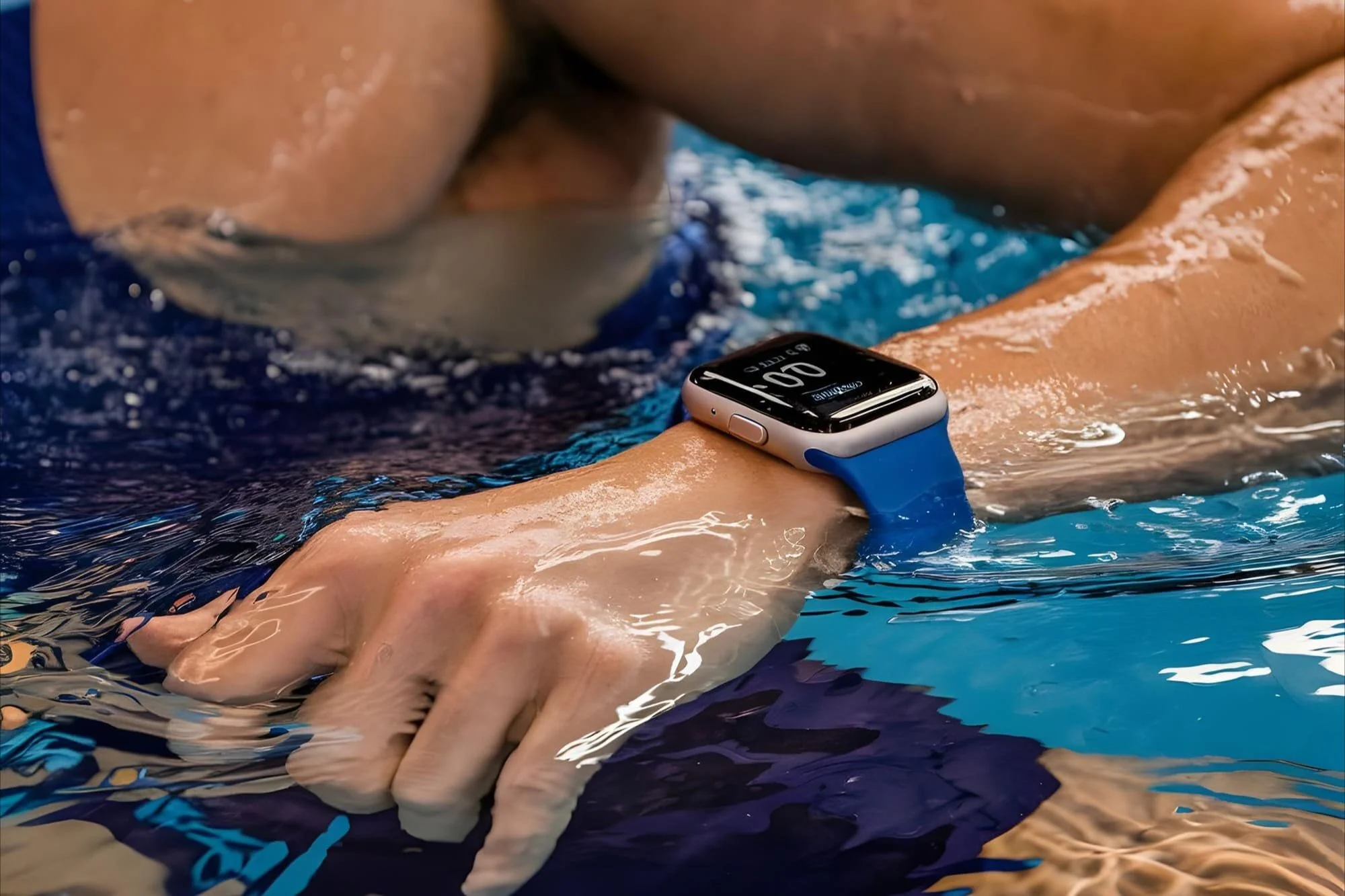
If you already own a swim-compatible Apple Watch, learn its Pool Swim features before buying another device. Apple's swimming workout records distance and stroke information, with set pace available in the workout summary.
For example, Apple Watch Ultra 2 lists laps, total distance, average pace, splits, stroke tracking, and SWOLF among its swimming features. Its water-resistance rating is 100 meters under ISO 22810:2010, which is a rating rather than a recommended swimming depth.
Set the correct pool length before starting and confirm yards versus meters. An incorrect setting distorts distance and pace.
I would choose a watch for reviewing sessions. For counting alone, extra features may add unnecessary cost and complexity.
Several of my competitive swimmers have upgraded to the Apple Watch Ultra, and I've been genuinely impressed with its swim tracking capabilities. This swim lap counter watch has become a favorite among my tech-savvy athletes.
Garmin Watches for Structured Pool Sessions
Compatible Garmin watches offer automatic pool-distance tracking, but swimming functions vary by model. Check support for intervals, rest recording, and drill logging on the exact watch you are considering.
For example, the Forerunner 265 swimming manual describes pool-size setup, length tracking, rest functions, and drill logging. Drills that change normal arm movement may require a different recording method from regular swimming.
For structured workouts, prioritize separating swimming from rest and recording drill distance over metrics you rarely review.
FINIS Smart Goggles for Information During Your Swim
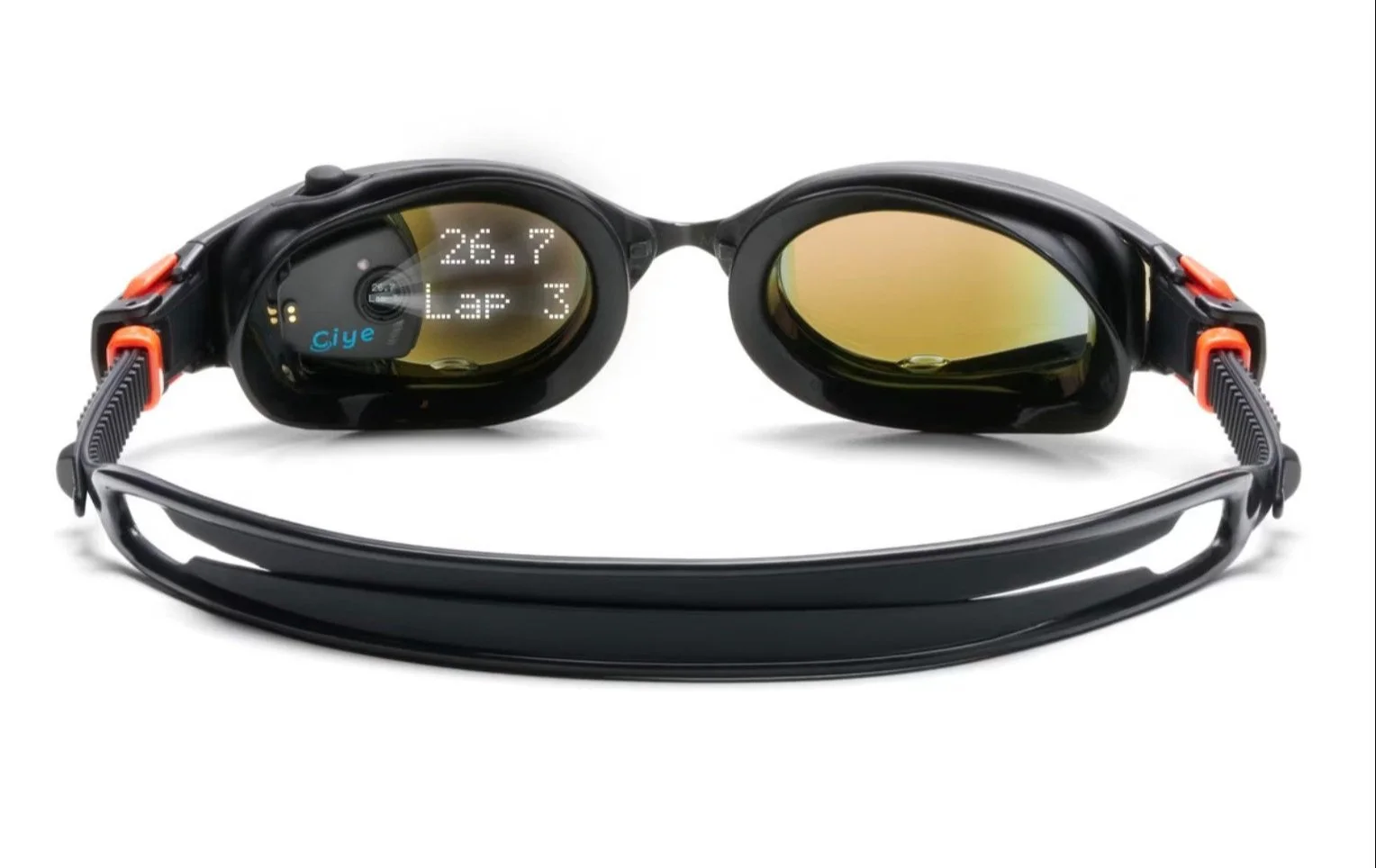
The FINIS Smart Goggle system uses a Smart Coach module and an in-goggle display. FINIS lists displayed information including laps, splits, time, and rest, with workout review available through its app.
Seeing information without lifting your wrist can help you monitor pacing during longer efforts.
Check comfort, seal, and display visibility before prioritizing features. Confirm that the kit includes tracking electronics; replacement goggles alone are a different purchase.
Also distinguish goggle design from tracking capability. FINIS states that this system does not track distance in open water. An open-water-style frame does not make it a GPS distance tracker.
Save 25% on FINIS swim gear with code DALY25 at checkout.
Stopwatches and Tempo Trainers Serve Different Purposes
A coach’s stopwatch and a tempo trainer can complement a swimming lap tracker. The tracker records completed lengths, while a stopwatch measures time and a tempo trainer provides audible cues for stroke rhythm or pacing.
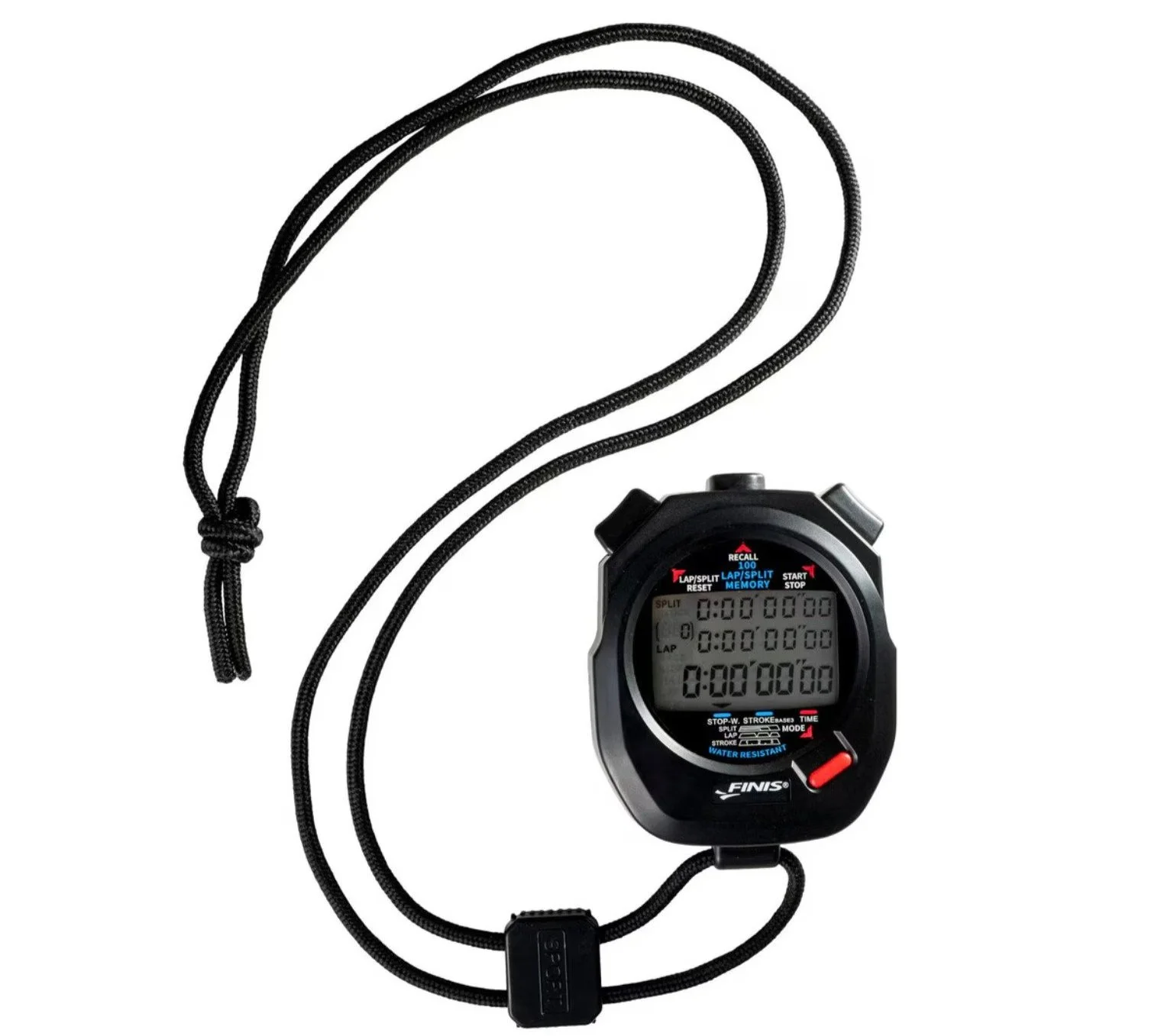
The FINIS 3X100M Stopwatch offers 100-split memory and displays cumulative and lap splits. It is operated on deck by a coach or another person rather than automatically tracking the swimmer.
Save 25% on FINIS swim gear with code DALY25 at checkout.
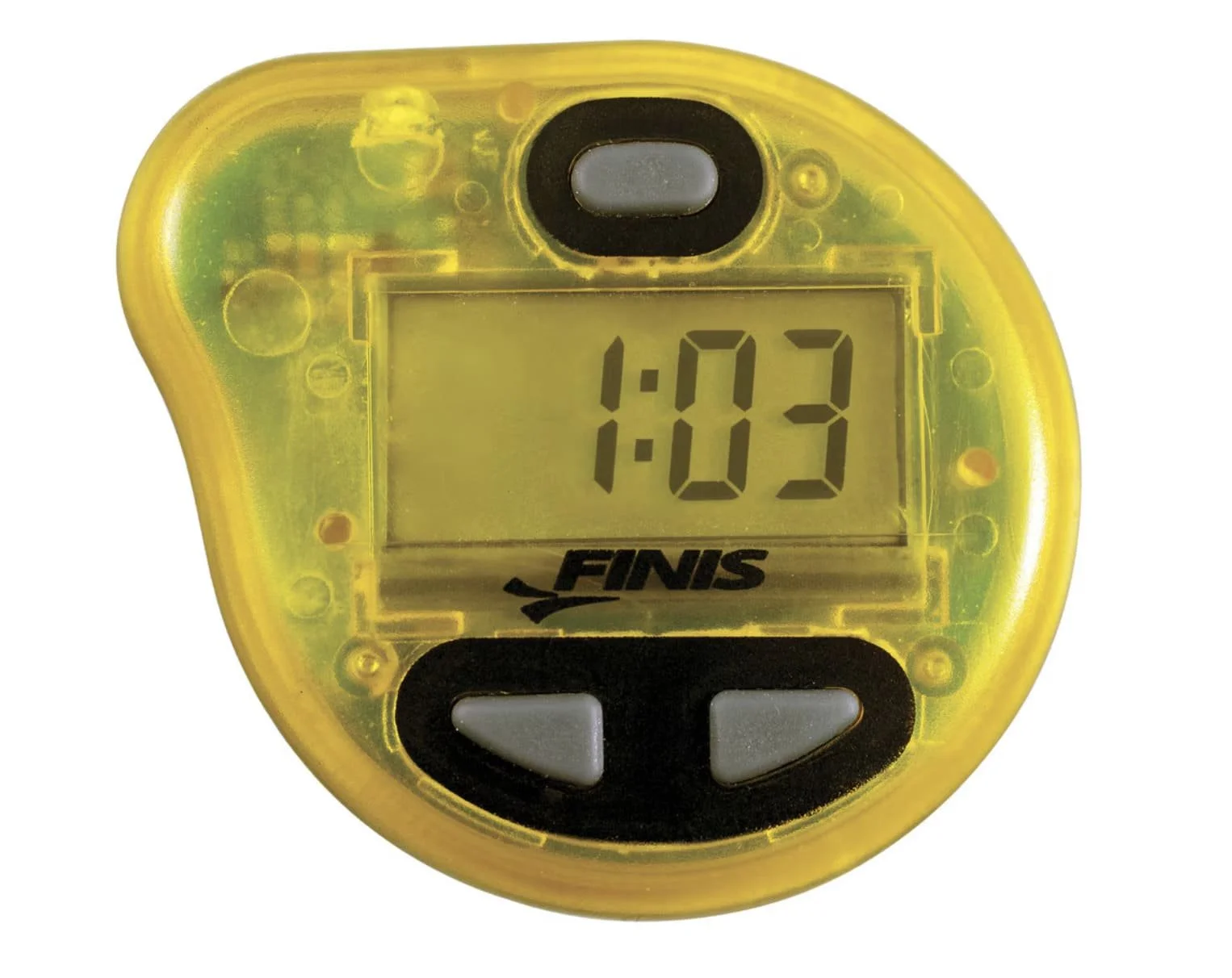
The FINIS Tempo Trainer Pro provides audible cues for stroke rhythm or lap pacing. It does not automatically count completed lengths.
Save 25% on FINIS swim gear with code DALY25 at checkout.
2. Check Accuracy Before Trusting Your Pace
A recording error can make a workout look better or worse than it was. If you swim 200 yards but your device records 225, its reported pace may look artificially fast.
Start with three checks:
Confirm pool length and units. A 25-yard pool and a 25-meter pool need different settings.
Test a known distance. Swim 4 × 50 yards easily and check that the recorded total is 200 yards. In a 25-yard pool, that is eight lengths.
Check drill and rest recording. Use your model's supported method and make a separate note when something is not tracked automatically.
Garmin recommends complete lengths, one stroke type per length, and supported drill logging. Follow the instructions for your own model.
Keep your written workout on deck to check recording errors before judging pace or efficiency.
3. Use the Data to Understand Your Swimming
A lap count tells you how much you swam. Pace and stroke data add context, but their meaning depends on the set. I prefer a few metrics connected to a clear question.
Swim Smarter: Customize Your Apple Watch Swim Metrics
| What you notice | What to investigate |
|---|---|
| Repeat times slow across the set | Starting pace, rest, effort, and fatigue |
| Stroke count rises while pace slows | Tracking accuracy, push-offs, and technique changes |
| Similar pace feels easier | Whether conditions are comparable; possible improvement in fitness or economy |
| Lower SWOLF accompanies slower swimming | Whether reducing strokes has moved you away from your pace goal |
| Recorded distance differs from the planned set | Pool settings, missed clicks, or tracking errors |
A higher stroke count may reflect fatigue, technique changes, or increased speed. Interpret it alongside pace and effort.
Compare Similar Workouts
Use the same pool length, stroke, repeat distance, and rest when comparing sessions. Note whether you used fins, paddles, or a pull buoy.
Stroke-count conventions also matter. Garmin's watch-based count reflects cycles of the watch-wearing arm. A manual count of every freestyle hand entry uses a different method, so keep your comparisons consistent.
SWOLF combines time and stroke count for a length. A lower score is not automatically a better swim: slowing down to take fewer strokes may lower SWOLF while moving you away from your training goal.
When Video Adds Useful Context
If your pace and stroke count repeatedly change in ways you cannot explain, video can show the movement behind the numbers.
With Video Technique Analysis, I review your stroke and provide individualized feedback and drills. Virtual analysis is available for swimmers who can submit footage from their own pool.
Want to understand why your stroke changes as you fatigue? Explore Video Technique Analysis.
4. Turn Your Workout Records Into a Plan
Tracking helps when it informs your next decision. More distance or faster average pace does not always mean you achieved the workout's purpose.
If a controlled endurance set starts fast and finishes slowly, work on pacing before adding volume. If technique deteriorates early, shorter repeats or a different workload may deserve consideration.
Try a simple reference set after your usual warm-up: 4 × 100 yards freestyle with 20–30 seconds rest, at a controlled, repeatable effort. Record each repeat time, actual rest, and effort, plus stroke count if available. Confirm that your tracker recorded the correct distance.
Repeat the same setup in a comparable session. If 100-yard repeats are too demanding, use 50s and keep that format consistent. This is a reference set, not an all-out test.
Do you need endurance, technical practice, pacing work, or recovery? The answer depends on your goals and training history.
With Train Daly's Custom Programs, I build swim or combined swim-and-dryland programming around your needs. The service includes four weeks of customized workouts, a coaching call, technique or exercise guidance, and messaging support for adjustments.
You do not need a premium device to start. Repeat times, the planned set, and honest notes about effort already provide useful context.
Ready to give your workouts a clearer purpose? Explore Custom Swim Programs.
Make Every Recorded Length Useful
Choose the tool that answers your training question. Then focus on accurate setup, consistent recording, and a clear goal for each set.
Excellence lives in the fundamentals. You need enough reliable information to understand your swimming and decide what to work on next.
Dan Daly, CSCS, is a swim and strength coach with more than 20 years of coaching experience. He helps competitive, masters, and triathlon swimmers connect technique, strength, recovery, and structured training.